01 / SOURCE
Pick the media.
Start from internal storage, an external SSD, a hard drive, or a connected card reader.
Photos
Video
Folders
Hash copies media between internal storage and connected drives, then verifies every transferred file with MD5 and SHA-256. Built for photographers, filmmakers, and field workflows where "probably copied" is not enough.
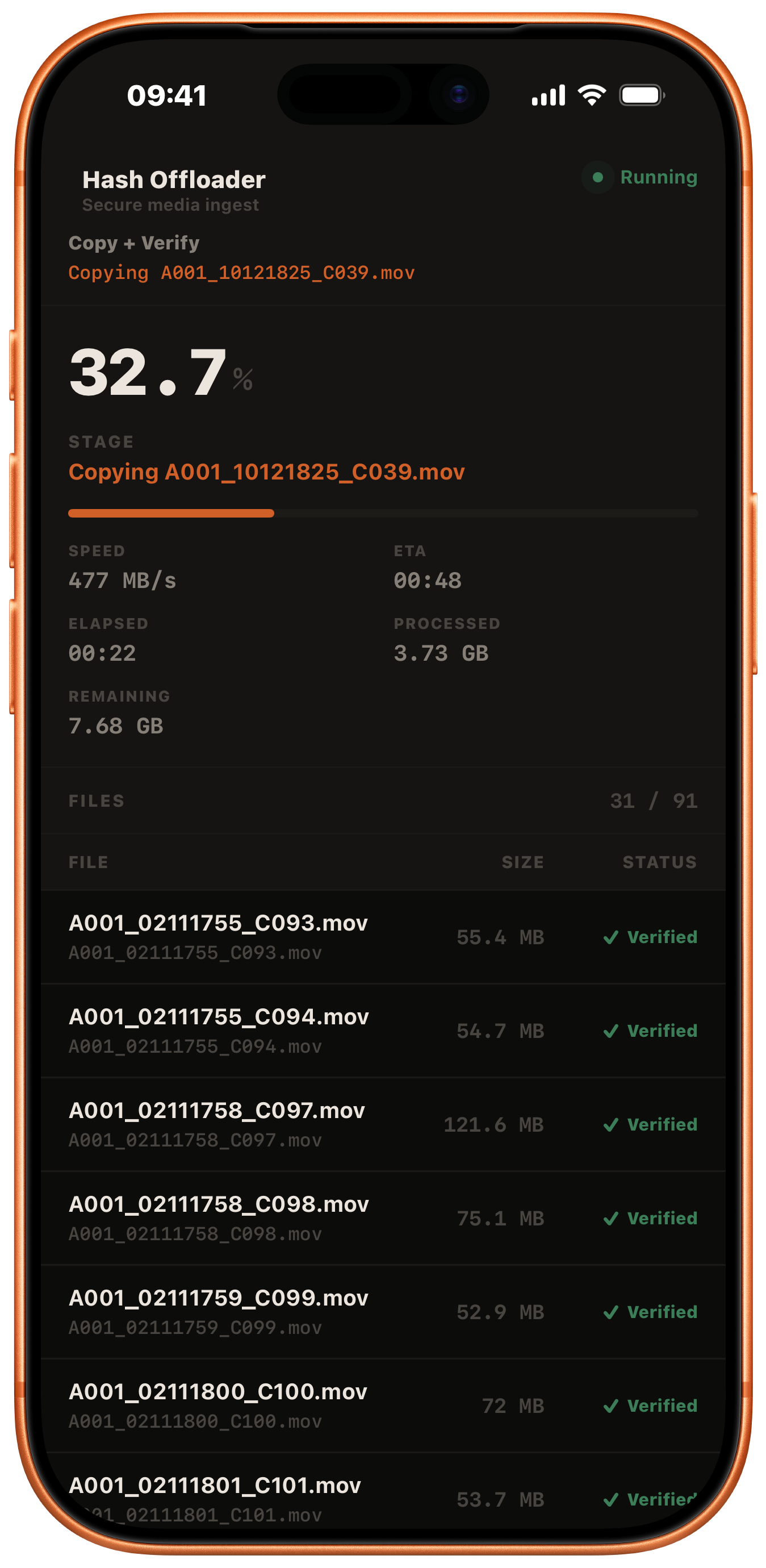
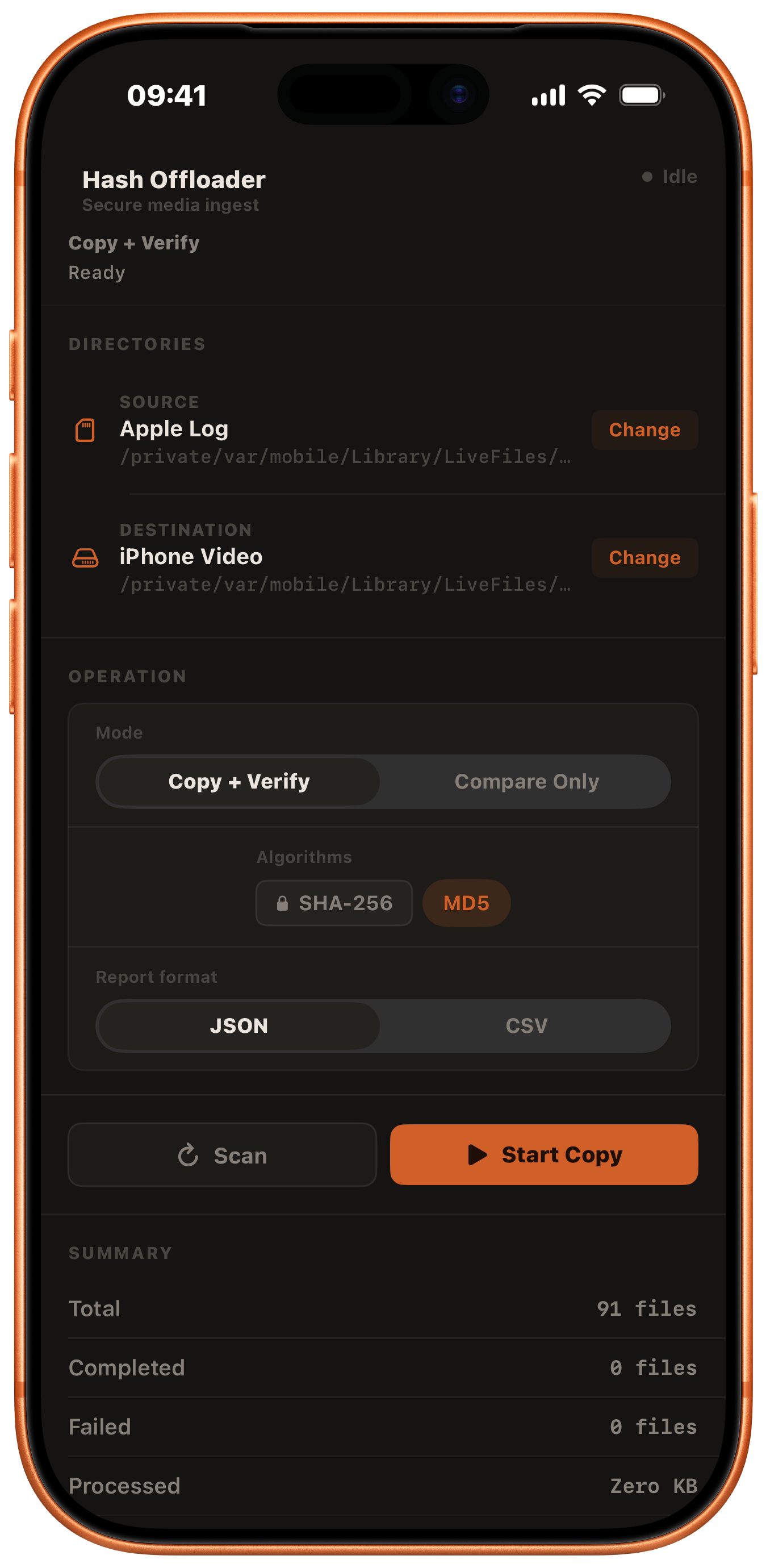
Hash turns transfer into a three-part operation: choose the source, choose the destination, then leave with a verifiable record. It can also compare existing folders without copying when the job is only to confirm integrity.
Start from internal storage, an external SSD, a hard drive, or a connected card reader.
MD5 and SHA-256 run as part of the transfer, so the verification is built into the job.
Export JSON or CSV reports with file names, hashes, sizes, timestamps, and pass status.
While a large batch is copying, Hash keeps the active file, progress, speed, ETA, processed data, remaining data, and verified file list visible together. The screen reads like a transfer console, not a generic file picker.
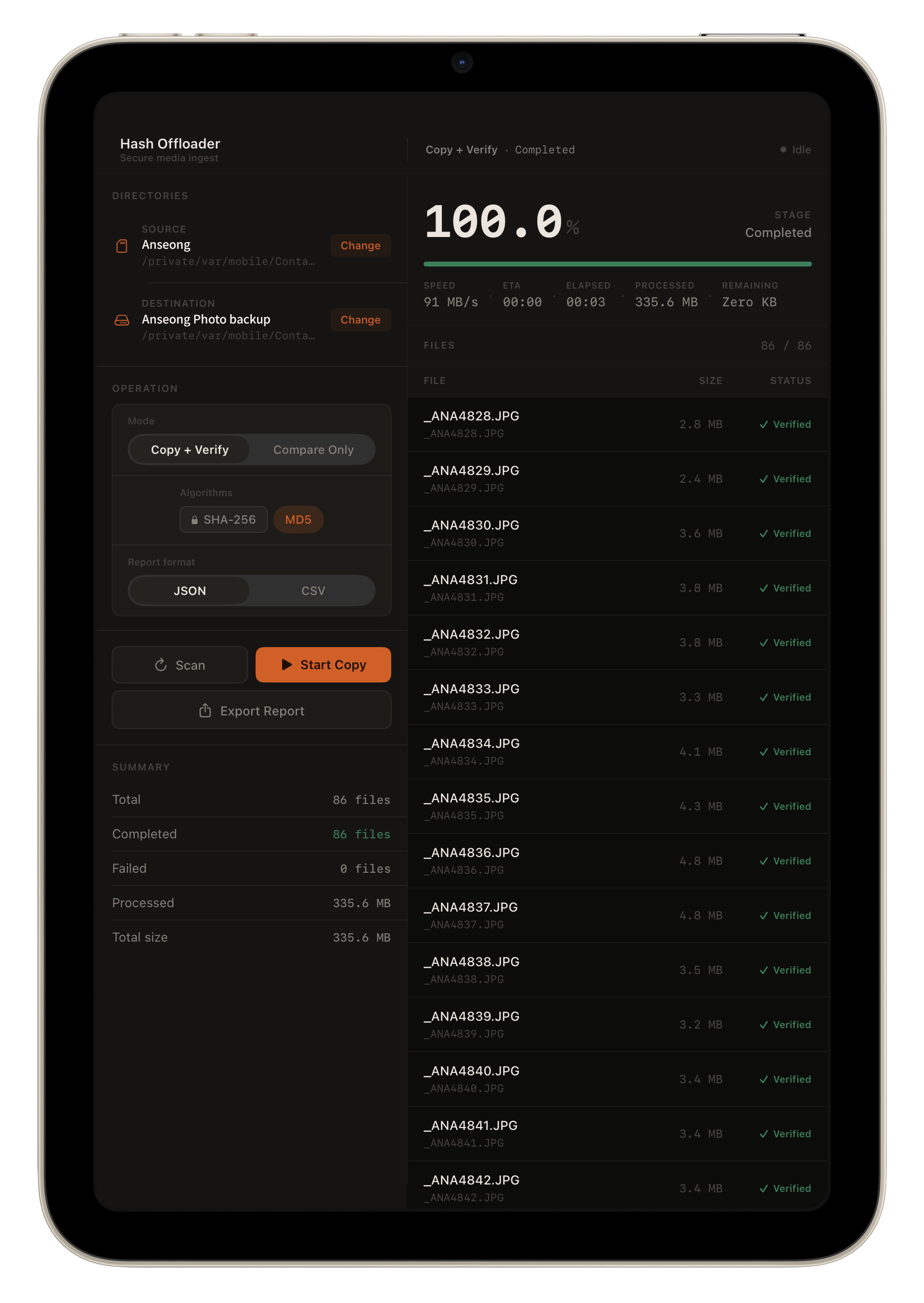
This completed ingest is the same batch shown on screen: source folder "Anseong", destination "Anseong Photo backup", 86 verified JPG files, 0 failures, and 335.6 MB copied. The exported report records the checksums behind that green Verified state.
{
  "algorithms": ["MD5", "SHA-256"],
  "mode": "Copy + Verify",
  "totalFiles": 86,
  "completedFiles": 86,
  "failedFiles": 0,
  "copiedBytes": 335552318,
  "sourceDirectory": "Anseong",
  "destinationDirectory": "Anseong Photo backup",
  "items": [{
    "relativePath": "_ANA4828.JPG",
    "fileSize": 2789376,
    "sourceMD5": "554ce97d870d...",
    "destinationMD5": "554ce97d870d...",
    "sourceSHA256": "5529c112b297...",
    "destinationSHA256": "5529c112b297...",
    "verificationPassed": true
  }]
}
Hash supports internal and external storage in both directions. The interface stays focused on the job: source, destination, mode, algorithms, report format, and progress.
Organize or verify local media inside the device storage workflow.
Send selected media from device storage to a connected drive.
Import from SSDs, hard drives, and card readers into local storage.
Supported when the device, hub, and connected drives can provide stable power.
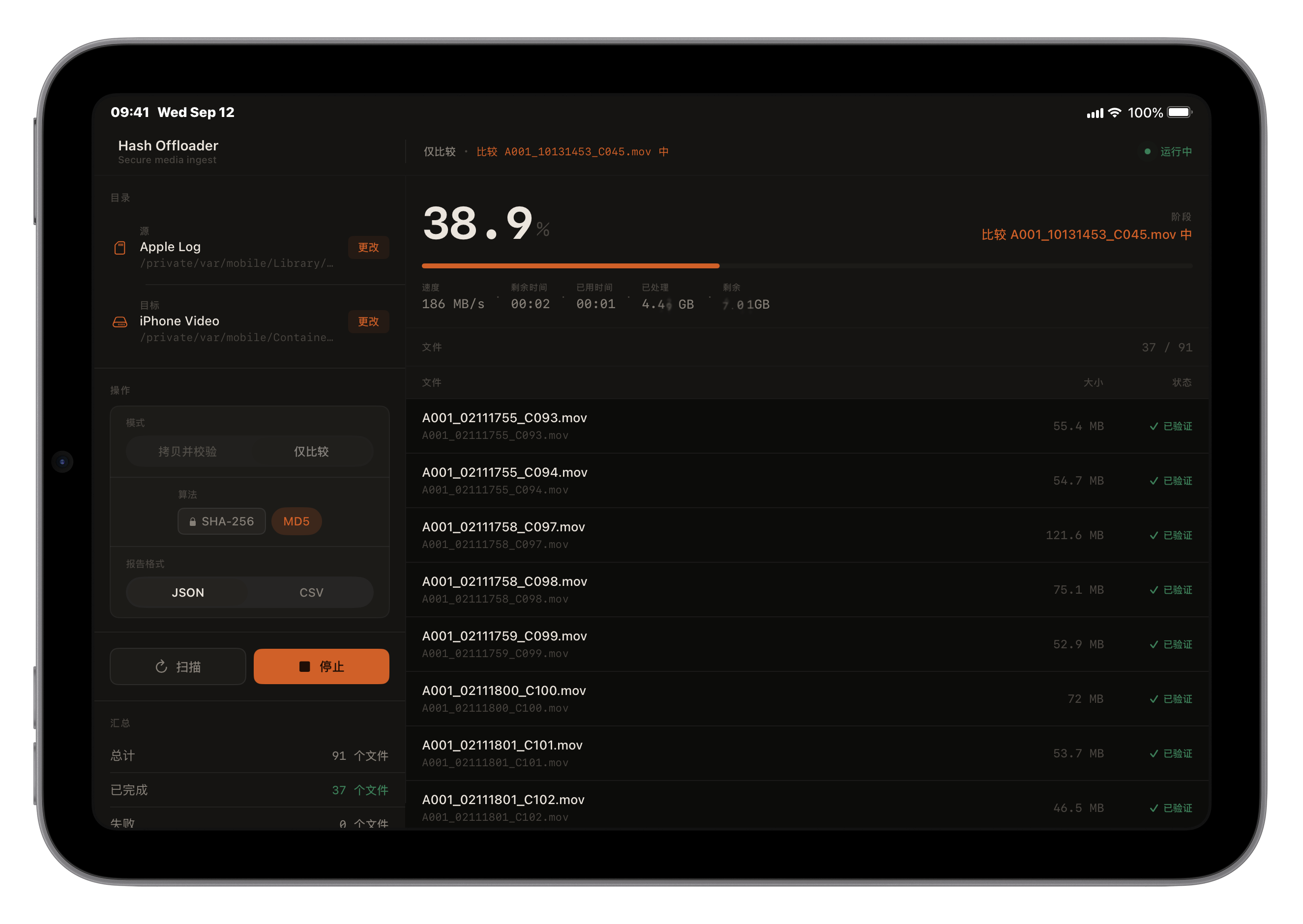
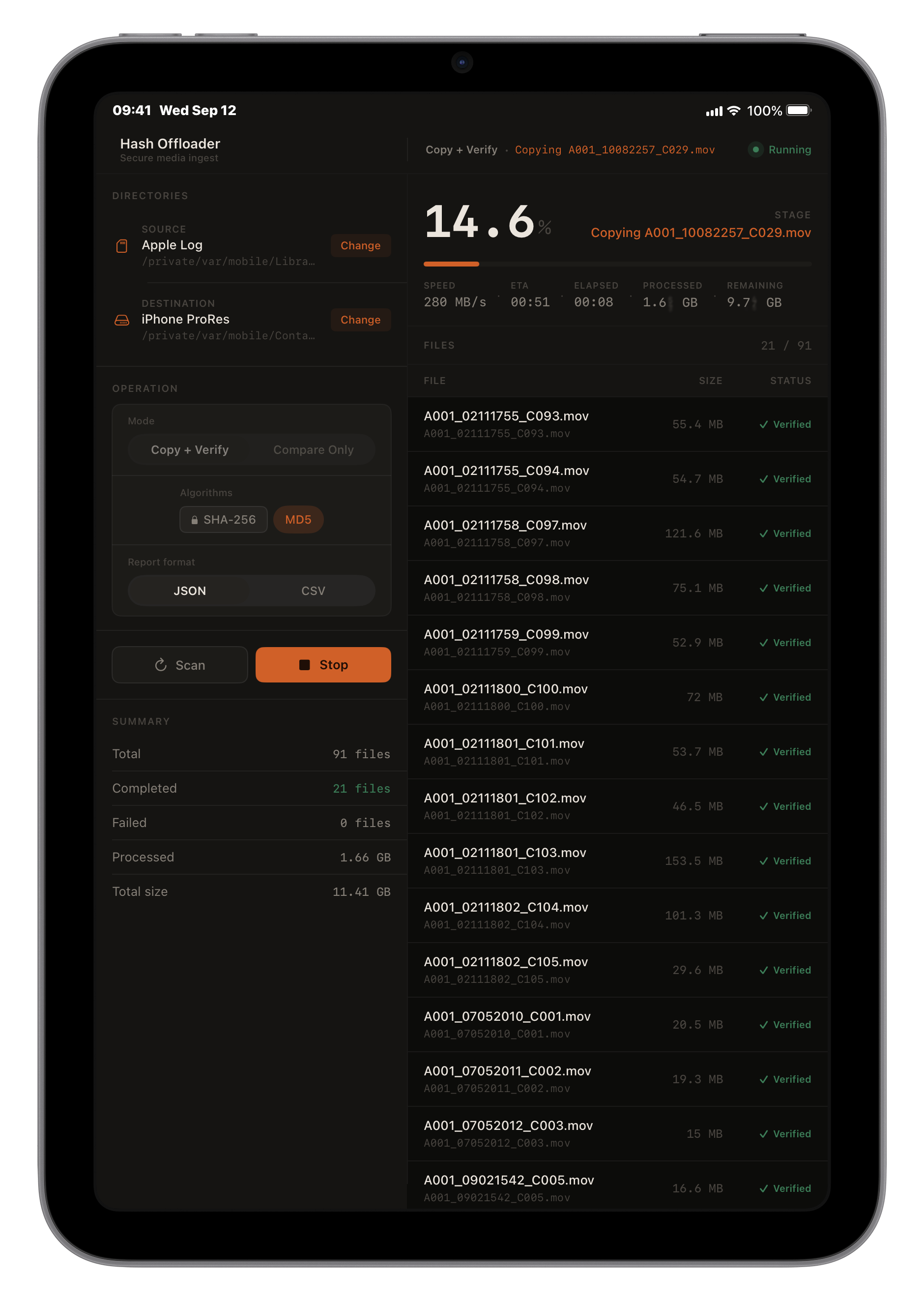
On larger screens, source settings, live transfer progress, and the verified file list can stay visible together. It feels less like a file picker and more like a compact DIT station.
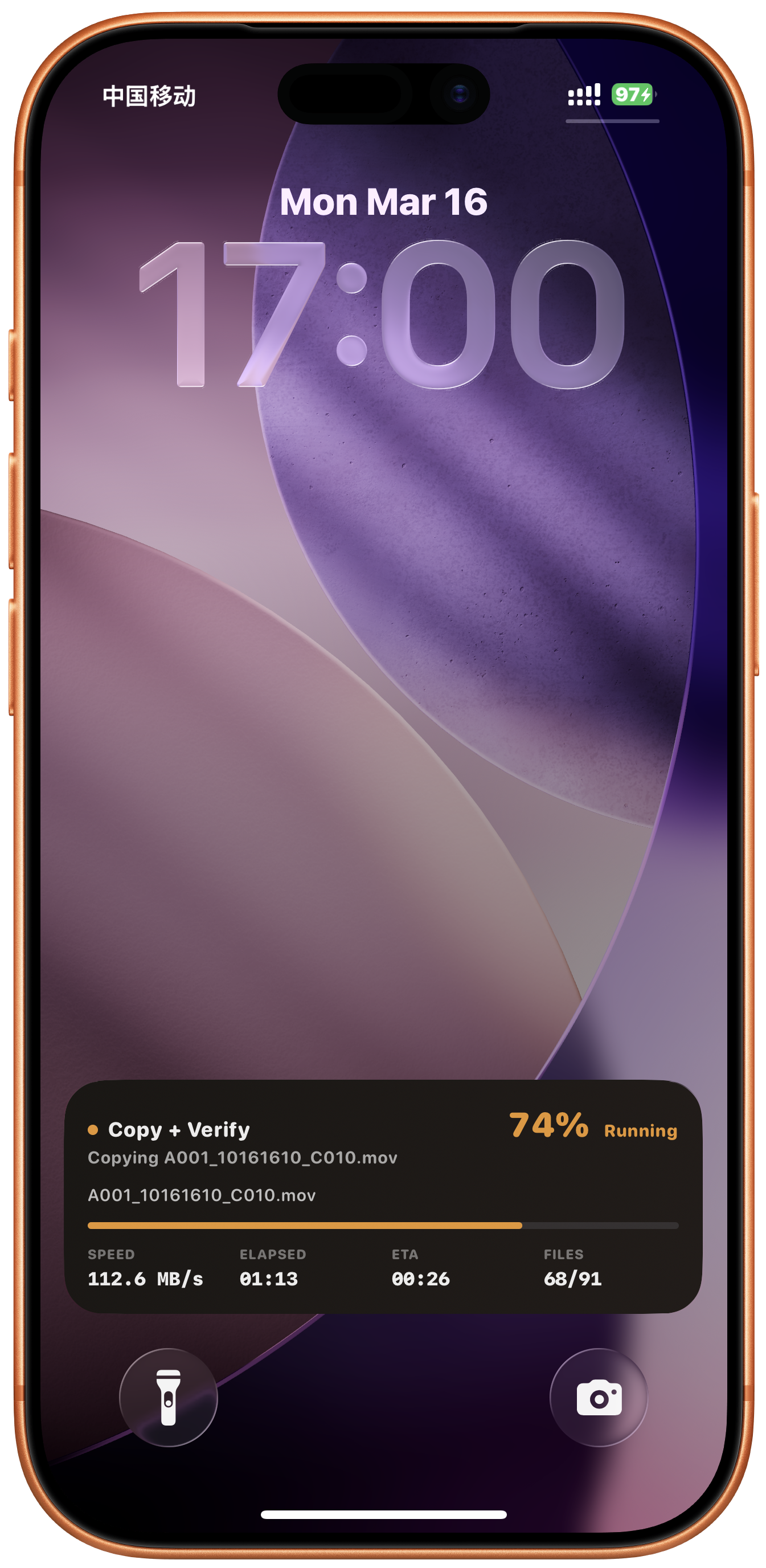
Long transfers should not require babysitting the app. Hash brings the transfer state to the Lock Screen so progress, speed, ETA, and file count remain close at hand.
A focused media offloader for iPhone and iPad: local processing, no account required, external-drive workflows, MD5 and SHA-256 verification, and exportable reports for the moment when the files have to be trusted.